
5 OpenCart SEO Tips to Boost Your Rank on Google
Download MarkDown
Search Engine Optimisation is considered one of the most effective ways to gain organic customer traffic. Not only SEO helps a business to increase overall traffic but also helps to gain traffic from various sources. Thus, following the same reason, it is important to work thoroughly on SEO for your eCommerce business. If you are an OpenCart eCommerce merchant and looking for a starting point, the following article is going to help you.
What is OpenCart SEO and how does it work?
Search Engine Optimisation in OpenCart works differently with OpenCart stores than with any other eCommerce platform. Along with meta tags, meta titles, and meta tag descriptions, you are going to need a lot more to boost the SEO for your OpenCart online store. Thus, before starting with the same, let’s dive into the factors that play an important role in OpenCart SEO.
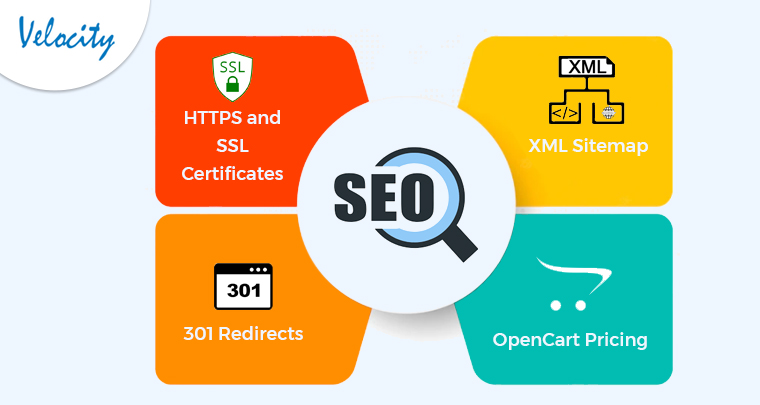
1. HTTPS and SSL Certificates:
For getting HTTPS attached to your OpenCart eCommerce website, you are going to need to obtain SSL certificates. Once after installing SSL certificates on your store, you will be eligible to use HTTPS along with your store URL.
2. XML Sitemap:
OpenCart sitemap helps Google and other search engines to identify your website and helps in ranking.
3. 301 Redirects:
The 301 Redirect module helps OpenCart store owners to manage the changes URL. An instance when a user will hover from one page to the next page, the 301 redirect Module will register the old and new URLs.
4. OpenCart Pricing:
OpenCart is a PHP-based eCommerce management system. Moreover, if you want to download and install OpenCart, the platform is free to use. However, if you want to launch an online store using OpenCart, you will have to pay nominal charges.
OpenCart SEO tips to Boost Your Ranks on Google:
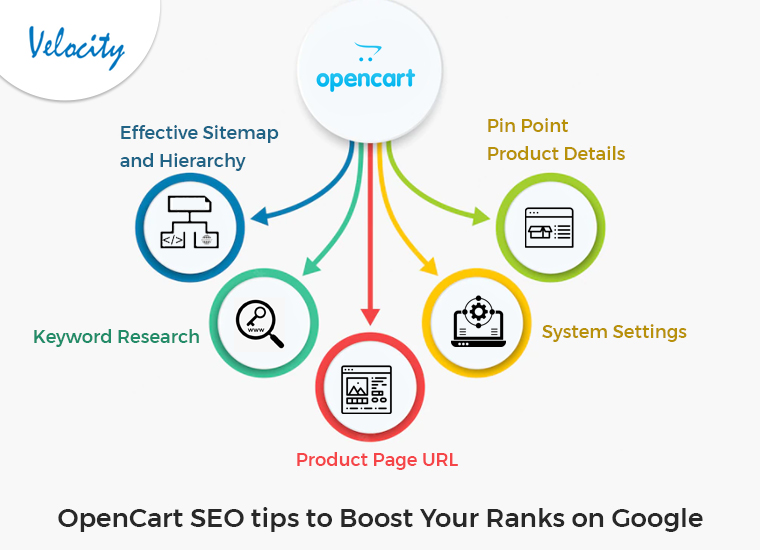
1. Effective Sitemap and Hierarchy:
A website sitemap is one of the most important factors that play an important role in SEO. Thus, while designing a website it is always an ethical idea to set up a user-friendly hierarchy for all the pages. Instance, while designing your OpenCart eCommerce website, you can provide a step-by-step process to make the analyzing process for Google.
2. Keyword Research:
Keywords are the main source that brings traffic to any website. Thus, for the same reason, as an OpenCart business, you should dive deep into the market for researching the most relevant keywords. For example, winning the keyword game requires thinking from the market perspective. You can use the keywords in Meta Titles, Meta Descriptions, and CTAs for making the most out of Search Engine Optimisation. Thus, if you are willing to enhance the organic customer traffic of your OpenCart eCommerce store, keyword research is going to play an important role.
3. Product Page URL:
A lengthy and unclear OpenCart store URL can reduce the chances of listing on top of the Google search result page. Thus, if your store URL is having any unnecessary texts or symbols, it’s time to garnish the same.
You can follow the below-mentioned path on your admin dashboard for changing your SEO URLs.
OpenCart Admin Panel>System >Settings>Edit>Server>Yes>Edit SEO URL.
4. System Settings:
Before going for Off-page Search Engine Optimisation for your OpenCart Website, it is a must work on On page one. For example, for the very first step of the process, you can add a homepage title to represent your brand name. Along with your home page title, you can add various other crucial details such as Meta Title, Meta Tag Description, and Meta Tag Keywords.
Thus, for the initial SEO step, you can modify the following details from System > Settings > Edit Store > General.
5. Pin Point Product Details:
The next Page SEO tip for enhancing Search Engine Optimisation for your OpenCart store is to add relevant product details. For example, you can use a variety of researched keywords in your product descriptions and even in product titles. Moreover, while adding your product image, you can consider adding a space in each word by dashes.
In the End,
If you are looking for starting or enhancing Search Engine Optimisation for your OpenCart shop. The following tips are going to help you a lot. Moreover, in case you are having any sort of queries or web development, you can find us at [email protected].
Frequently Asked Questions
What are meta keywords in OpenCart and do they still matter?
Meta keywords in OpenCart are the comma-separated tags you enter in the Data tab of any product, category, or information page (Catalog → Products → Edit → Data → Meta Tag Keywords). They populate the <meta name="keywords" content="..."> tag in the page <head>. Google has ignored meta keywords as a ranking factor since 2009, so for Google SEO they’re useless. However, some older internal search engines, Yahoo, and a handful of regional search engines still read them. The smart play in 2026: leave the field blank for new products, or use it sparingly (3-5 keywords max) for legacy compatibility — and focus your SEO energy on the meta title, meta description, and product description fields instead.
How do I add meta tag keywords to OpenCart products correctly?
Go to Catalog → Products, click Edit on any product, then open the Data tab. The “Meta Tag Keywords” field accepts comma-separated values like blue running shoes, men's sneakers, nike air max. Best practice (if you choose to use them): pick 3-5 keywords directly relevant to that single product, don’t keyword-stuff, and don’t reuse the same keyword set across hundreds of products. For categories, the field is under Catalog → Categories → Edit → Data → Meta Tag Keywords. Information pages (About, Privacy Policy, etc.) have the same field under Catalog → Information → Edit → Data.
What’s the difference between OpenCart meta title, meta description, and meta keywords?
Meta title is the clickable headline shown in Google search results (~60 chars). Google reads this as a primary ranking signal. Meta description is the 155-160 character snippet shown below the title; Google doesn’t rank on it but a compelling description directly improves CTR. Meta keywords populate the keywords meta tag; Google ignores them entirely. If you have limited time, optimize titles and descriptions first — they directly affect ranking and clicks. Skip meta keywords or leave them blank.
How do I generate an XML sitemap in OpenCart?
OpenCart ships with a built-in sitemap generator. Enable it under Extensions → Extensions → Feeds → Google Sitemap → Edit → Status: Enabled. The sitemap is then accessible at https://yourstore.com/index.php?route=feed/google_sitemap (or the SEO-friendly URL /sitemap.xml if you have URL rewriting enabled). Submit this URL to Google Search Console under Sitemaps. For larger stores with thousands of products, consider a paid extension like “Advanced Sitemap” or “SEO Pack Pro” — they split the sitemap by type (products, categories, manufacturers, information), which both Google and Bing prefer.
What are the best SEO best practices for OpenCart in 2026?
The 2026 OpenCart SEO checklist: (1) Enable SEO URLs (System → Settings → Server → Use SEO URLs: Yes) and configure mod_rewrite or nginx try_files. (2) Set unique meta title and description for every product, category, and info page — never leave them on default. (3) Add structured data (Product schema, BreadcrumbList, Organization) via an SEO extension or theme customization. (4) Optimize Core Web Vitals: lazy-load product images, defer non-critical JS, use a CDN. (5) Submit XML sitemap to Google Search Console + Bing Webmaster Tools. (6) Build internal links between related products and category pages. (7) Use canonical URLs to prevent duplicate-content issues from filter/sort parameters. (8) Run regular technical audits via Screaming Frog or Ahrefs to catch broken links and orphan pages.
Are there any free OpenCart SEO modules worth installing?
The free essentials: SEO Pack Lite (basic schema and Open Graph tags), SEO Backpack Free (auto-generates meta titles from product attributes), and the built-in Google Sitemap module. For serious ecommerce sites, the paid options (SEO Pack Pro, OCMod-based “Ultimate SEO URLs”, “Better SEO Module”) are worth the $30-100 one-time fee — they handle 301 redirects, canonical URLs, hreflang for multi-language stores, and structured data more reliably than free modules.
How do I optimize OpenCart product page URLs for SEO?
Enable SEO URLs first (System → Settings → Server → Use SEO URLs: Yes), then edit each product’s Data tab → SEO URL field. Best-practice URL pattern: product-name-key-feature (lowercase, hyphen-separated, 3-5 words max, no stop words like “the/and/of”). Bad: /product/blue-cotton-mens-shirt-size-m-100-cotton-fabric. Good: /blue-cotton-mens-shirt. For categories, set the SEO URL to your top keyword (e.g. /mens-shirts not /category/3/24). When you change a product’s SEO URL, set up a 301 redirect from the old URL via .htaccess or an SEO extension to preserve link equity.