AI Agent Reliability Engineering in 2026: 7 SLO Patterns That Survive Real Production Incidents
Download MarkDown
An engineering team at one of our enterprise clients had a perfect AI agent demo in March 2026. Eight weeks later, the same agent ran in production for forty minutes with a broken retrieval index, served 2,400 incorrect answers, and triggered an audit that took six weeks to close. The agent had monitoring. It had eval coverage. It had logs. What it did not have was AI agent reliability engineering — the operational discipline that decides whether an AI failure is a forty-minute incident or a forty-day cleanup.
Gartner projects that 60% of enterprise AI agents will hit production by Q4 2026, but the same forecast says fewer than one in three will meet stated reliability targets in their first 12 months. The gap is rarely the model. It is the missing layer between “the agent works” and “the agent stays working” — a layer SRE teams have built for backend services since 2003 and most AI teams are reinventing badly in 2026.
At Velocity Software Solutions, we have audited 14 production AI agent deployments across fintech, ERP, healthcare, and SaaS in the last six months. The pattern is consistent: every team has dashboards. Most teams have eval suites. Almost none have AI agent reliability engineering as a named function with SLOs, error budgets, regression tests, and a rollback playbook the on-call engineer can run at 3 a.m. without escalation.
This guide breaks down the 7 patterns we now ship before any agent goes to production, the 30-day reliability sprint we run with new clients, and the math behind why the cost of cutting these corners is not paid in incidents — it is paid in trust the second customers notice the agent is unreliable.
Why AI Agent Reliability Engineering Looks Different From Classic SRE
Traditional SRE assumes deterministic services. Request A produces response B; if B is wrong, the bug is in the code. AI agents break that assumption. The same prompt routed to the same model can produce different answers based on temperature, retrieval drift, tool-call ordering, conversation memory state, and a dozen latent variables nobody on the team has named.
That is why borrowing the Google SRE playbook wholesale fails for AI agents. The five-nines uptime target most cloud teams chase is not what enterprise AI agents need. What they need is something the classic SRE textbook does not cover: a quality SLO alongside the availability SLO, an error budget that counts wrong answers as well as failed requests, regression tests that run on prompts rather than functions, and rollback procedures that account for state — memory entries, audit log fingerprints, half-completed tool calls — instead of just rolling back a container image.
The teams that get this right treat AI agent reliability engineering as its own discipline. Not “DevOps with an LLM on top,” not “MLOps with a chat interface” — a third thing, with its own metrics, on-call playbooks, and pre-launch checklists. The 7 patterns below are what that discipline looks like in practice.
The Common Failure Mode We Keep Seeing
Across the 14 audits, the most common reliability failure was not catastrophic. It was silent degradation. A retrieval index that lost 12% of its recall after an embedding model upgrade. A tool router that started picking the slower API path after a refresh-token change. A summary memory that hallucinated a new field name nobody noticed for nine days. The dashboards were green. The incidents only surfaced when customers complained, lawyers wrote, or an external auditor asked the wrong question.
Silent degradation is the failure mode AI agent reliability engineering is built to catch. It is also the reason a four-nines availability target does not save you. The agent was available. It was just wrong.
Pattern 1: AI Agent SLOs That Track Quality, Not Just Uptime
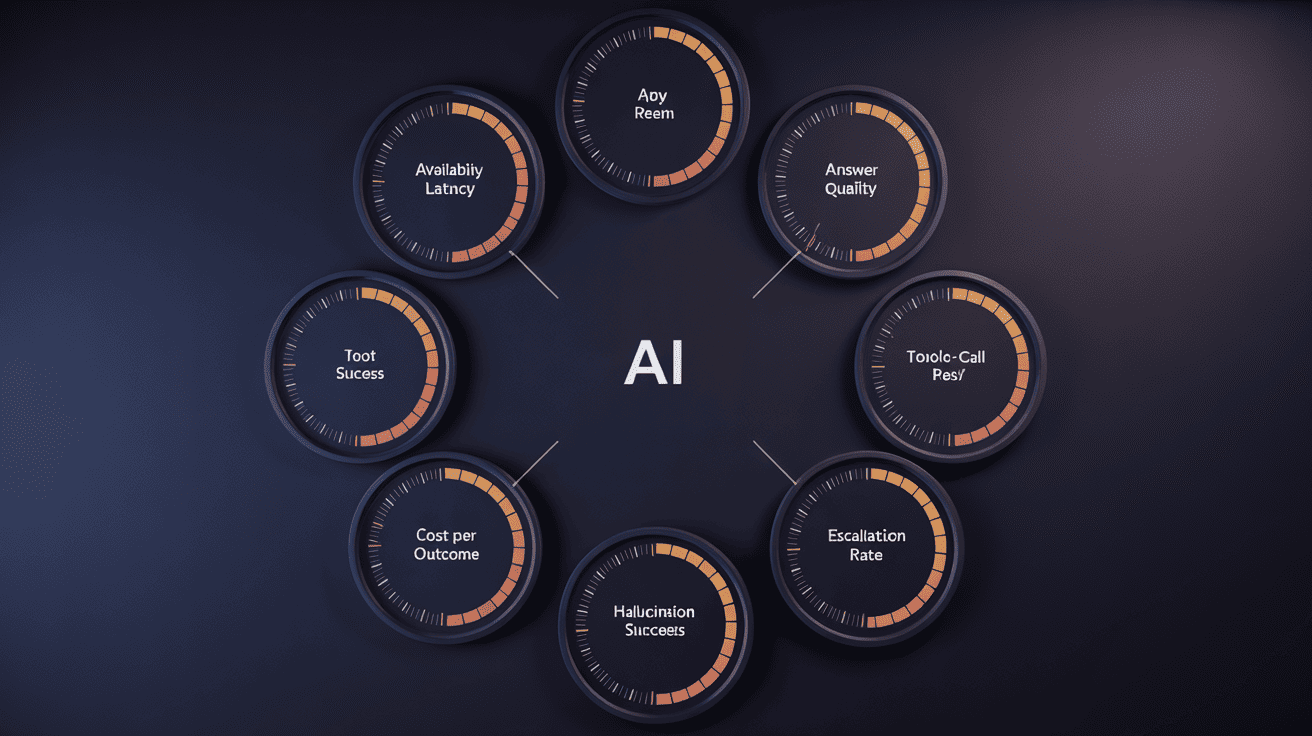
The first move in AI agent reliability engineering is admitting that the standard four golden signals — latency, traffic, errors, saturation — are not enough. AI agent SLOs have to add at least three more: answer quality, tool-call success rate, and cost per outcome. Without those three, the SLO measures the wrong thing.
A reasonable AI agent SLO bundle for a customer-facing agent in 2026 looks like this:
- Availability: 99.5% (not 99.99 — model API providers cap you here)
- p95 latency: < 3.5s for non-streaming, < 800ms time-to-first-token for streaming
- Answer quality (LLM-as-judge): ≥ 0.85 on the production prompt mix, scored daily
- Tool-call success rate: ≥ 97% of called tools return without retry exhaustion
- Cost per resolved interaction: ≤ $0.18 (set per use case)
- Hallucination rate: ≤ 1.5% on high-stakes prompts (compliance, financial, medical)
The trick is not picking the numbers. The trick is picking them before launch and treating them as commitments, not aspirations. Every AI agent we ship at Velocity carries an SLO sheet signed by both engineering and the business owner. When the SLO drifts, both sides see it on the same dashboard, and the conversation about what to do is short.
One detail most teams miss: AI agent SLOs need a window shorter than backend SLOs. A backend service SLO can be measured monthly. An agent SLO measured monthly will let a quality regression run for three weeks before anyone notices. We measure weekly with daily drill-downs, and we alert on a 24-hour moving average crossing threshold.
Pattern 2: AI Agent Error Budgets That Actually Fire
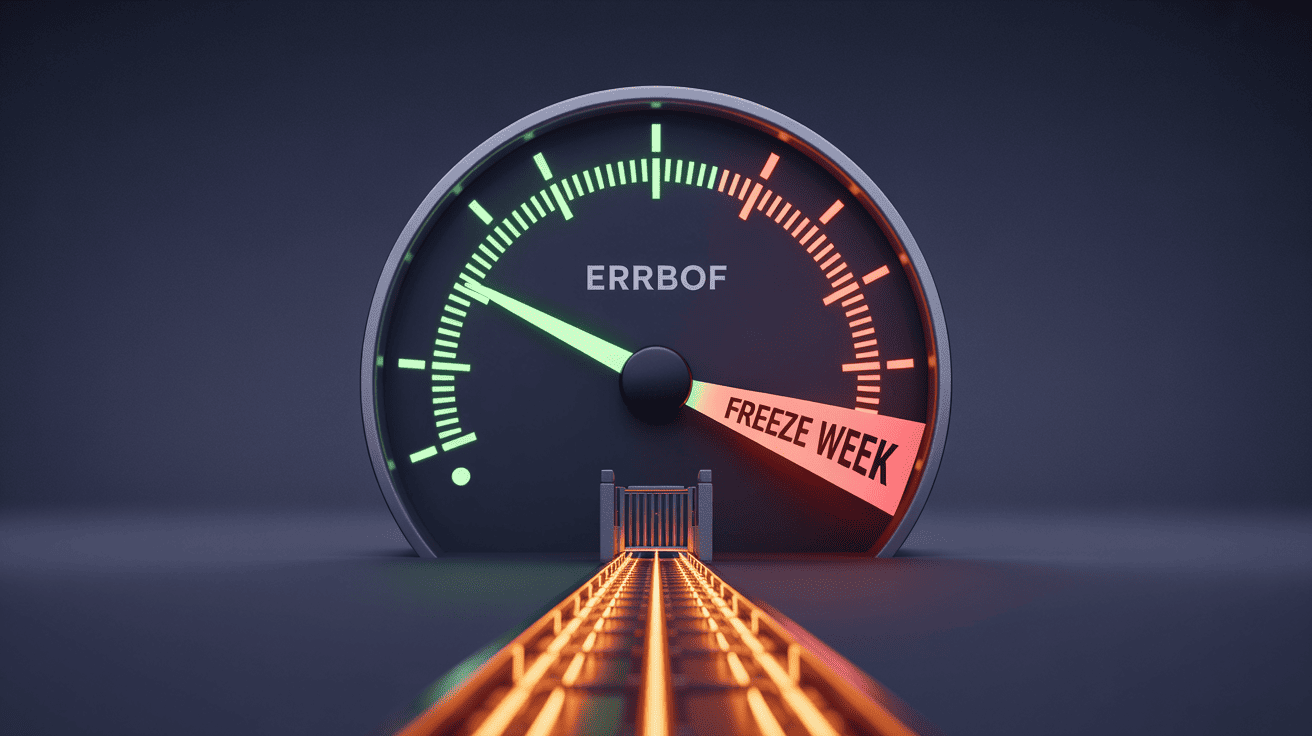
An AI agent error budget translates the SLO into spend. If the quality SLO is 0.85 and you measure weekly, the budget for the week is the volume of bad answers you can tolerate before the SLO breaks. The moment the budget is half-spent, deployment slows. The moment it is fully spent, deployment stops until the error rate recovers.
Most AI teams skip this step because it sounds bureaucratic. It is not bureaucratic — it is the thing that prevents the worst class of incident, which is shipping a prompt change on Friday afternoon and finding out on Monday that the agent has been wrong for 72 hours. The error budget is a circuit breaker. When it fires, it forces a conversation. The conversation is what saves you.
What a Real AI Agent Error Budget Looks Like
For a 99.5% availability SLO over a 7-day window with 100,000 requests, the error budget is 500 failed requests per week. For a quality SLO of 0.85, with daily LLM-as-judge scoring of 1,000 sampled answers, the budget is 150 “wrong” answers per week before the SLO breaks.
The mechanism is what matters. We wire the AI agent error budget into the deploy pipeline. If > 50% of the budget is consumed in the first three days of the week, the CI gate refuses to ship anything except revert PRs. This forces the team to triage instead of pile on more changes. Across the 14 production agents we audited, the teams that had this gate wired up had 71% fewer customer-reported incidents than teams that did not.
One important calibration: the budget has to be expensive to spend. If the budget regenerates every Monday with no consequence, it becomes a green line on a chart nobody respects. The teams that get error budgets right treat consecutive breaches as a “freeze week” — no feature work, only reliability work — and put it on the engineering manager’s quarterly report. That is what makes it real.
Pattern 3: AI Agent Rollback Playbook That Accounts for State
Backend services roll back by swapping a container image. AI agents do not have that luxury. An AI agent rollback playbook has to handle six layers of state that the average DevOps pipeline does not touch:
- Prompt template version — easy, version-controlled
- Model version — easy if pinned, painful if “latest”
- Embedding model version — hard, because changing it without dual-write breaks retrieval
- Vector index version — hard, because the new index may not be backwards-compatible
- Memory store — hardest, because entries written under the new prompt may corrupt summaries under the old one
- Tool registry version — moderate, because tools called under the new contract may break under the old one
The AI agent rollback playbook we run at Velocity is a six-step checklist the on-call engineer can execute in under 30 minutes:
- Freeze new conversations (feature flag at the gateway)
- Drain in-flight conversations to a graceful end-state
- Roll back the prompt template + tool registry as a single atomic unit
- If embeddings changed: switch reads to the old vector index (kept warm during dual-write)
- If memory schema changed: redirect writes to a quarantine table, leave reads on the old store
- Unfreeze conversations behind a 10% canary, verify the SLO recovers, ramp to 100%
The single most important step is step 4. If you are not dual-writing your vector index during embedding migrations, you do not have a rollback — you have an outage. We built a reranker layer for our RAG pipelines precisely so that index swaps degrade gracefully instead of cliff-dropping recall.

The 30-Minute Rule
The benchmark we hold ourselves to is that any production AI agent must be fully rollback-able in 30 minutes by the on-call engineer, with no escalation to the team lead. If the playbook takes longer than that, the agent is not production-ready. We have walked away from launch dates more than once over this rule. Every time, the team thanked us within six weeks.
Pattern 4: Agent Regression Testing Beyond a Golden-Prompt Suite
Agent regression testing is where most AI reliability stories quietly fall apart. The team builds a golden prompt set — 200 prompts, 200 expected answers, run it in CI, all green, ship it. Six weeks later a production incident reveals that the golden set covered 14% of real customer behavior and the other 86% drifted without anyone noticing.
Effective agent regression testing has four layers, run in CI before every deploy:
- Golden-prompt suite (heuristic): ~200 hand-curated prompts with deterministic expected substrings — fast, runs in 90 seconds, catches obvious breakage
- Production-mirror sample (LLM-as-judge): 1,000 prompts sampled from the last 30 days of real traffic, scored by an ensemble judge with position-swap to defeat verbosity and position bias — runs nightly, gates the next morning’s deploys
- Adversarial / red-team set: ~150 prompts designed to break the agent — jailbreaks, prompt injection, refusal-bypass attempts — runs weekly, gates Friday deploys
- Tool-call chaos suite: simulates tool failures, timeouts, malformed responses, and contract drift — runs nightly, catches the failure modes that the model itself never produces
The fourth layer is the one most teams skip. It is also the one that catches 40% of the production incidents we have seen. Agents do not just break because the model degrades — they break because a downstream tool changed, the rate limiter started 429-ing, or the retrieval API returned an empty array instead of an error. Without a chaos suite, those failure modes never appear until they hit production.
We pair this with a production observability layer that tracks cost-per-outcome and tool-call success in real time, so the gap between “what CI tested” and “what production sees” stays small.
Pattern 5: Graceful Degradation Beats Hard Failure
The single most underrated pattern in AI agent reliability engineering is the degraded mode. When the agent cannot reach the model API, cannot retrieve from the vector store, or cannot call its primary tool, the right answer is rarely an error page. The right answer is a degraded response with the right disclosure.
For one fintech client, we wired four degradation tiers into a customer-support agent:
- Tier 0 (full agent): primary model + RAG + tools — normal mode
- Tier 1 (cheaper model): fall back to a smaller, faster model when latency SLO is at risk — quality drops ~7%, latency drops 60%
- Tier 2 (RAG-only, no tools): if a critical tool is down, answer from retrieved policy docs with explicit “cannot complete this action right now” disclaimer
- Tier 3 (canned answer + human queue): if retrieval is down, return a hand-written “we are looking into this, a human will respond within 4 hours” message and create a Zendesk ticket
The agent decides tier dynamically based on which dependencies are healthy. Over the first 90 days, the agent spent 96.4% of its requests in Tier 0 and 3.4% in Tier 1, with Tier 2/3 fallbacks consuming 0.2% — almost all during a single OpenAI outage. Customer-reported reliability complaints dropped to zero in that quarter. Without the degradation tiers, the same outage would have produced a four-hour incident with hundreds of error reports.
The pattern works because customers tolerate degraded service much more readily than they tolerate broken service. A “I cannot process refunds right now, here is a human” message is not a reliability failure. A 500 error is.
Pattern 6: Confidence-Gated Escalation to a Human Queue
Even at full Tier 0, not every agent answer should ship. AI agent reliability engineering treats human review as a budget, not a gate. The agent answers most things autonomously. A small, calibrated percentage gets routed to a human queue based on confidence signals.
The four signals we use to trigger escalation:
- Self-reported model confidence below threshold — useful but unreliable on its own
- Disagreement across an N=3 ensemble — much stronger signal than single-model confidence
- Retrieval evidence below grounding threshold — fewer than 2 supporting passages above similarity 0.78 → escalate
- Stake-weighted policy override — if the request touches a high-stake category (refunds, medical, legal), escalate regardless of confidence
The escalation rate target is 4-7% of total volume for most customer-facing agents. Below 4% and the agent is taking too many risks. Above 7% and the human queue collapses, defeating the point. We tune the thresholds quarterly against the actual error rate of the auto-answered tier.
The pattern works because it absorbs the long tail of unusual inputs — the 0.5% of prompts that look reasonable but trigger model failure — without forcing the agent to be conservative on the 99.5% of prompts where confidence is high. It is also the layer that moves AI agent ROI from negative to positive for most enterprise use cases, because the cost of one bad autonomous answer is usually higher than the cost of routing the borderline case to a human.
Pattern 7: Incident Replay Pipeline for Blameless Postmortems
Backend incidents have a replay path: read the logs, reconstruct the timeline, find the bug. AI agent incidents are harder because the bug is often probabilistic — the same input might not reproduce the same failure. Without an incident replay pipeline, postmortems devolve into “the model did a weird thing, we adjusted the prompt, hope it does not happen again.”
An AI agent incident replay pipeline has four parts:
- Conversation snapshotting — at every step, capture the prompt, retrieved context, tool calls, intermediate model outputs, and memory state
- Hash-chained audit logs — so the snapshot itself is tamper-evident, which matters during compliance reviews
- Replay harness — a CLI that takes a conversation ID and re-runs it against either the same model version or a candidate version, with deterministic seeds where possible
- Diff visualizer — shows what changed between the production run and the replay, surfaces the divergence point
The replay pipeline turns “the agent did a weird thing” into “the agent took path A at step 4 instead of path B because the retrieval result at rank 3 changed, here is the fix.” Without it, you are guessing. We built ours on top of the same tamper-evident audit log layer we ship for SOC 2 readiness, so the snapshots double as compliance evidence.
Why This Pattern Compounds
Each replayed incident becomes a regression test case. After 60-90 days of operation, the regression test suite grows from the curated golden set into a real-world failure museum that catches the next iteration of the same class of bug. This is how the agent gets reliable in calendar months instead of calendar years. It is also why teams that skip the replay pipeline keep having the same incident every 4-6 weeks.
The 30-Day AI Agent Reliability Engineering Sprint
This is the sequence we run with new clients who already have an AI agent in production and need to harden it without rebuilding it. The order matters — each week unlocks the next.
- Week 1 — Measure: wire up the seven golden signals (availability, latency, quality, tool-call success, cost per outcome, hallucination rate, escalation rate). Capture a 7-day baseline before changing anything.
- Week 2 — Commit: set SLOs against the baseline. Build the error-budget gate into CI. Add the production-mirror eval suite and run it nightly.
- Week 3 — Survive: ship the rollback playbook. Run a tabletop exercise where on-call rolls back the agent under timed conditions. Add tier 1-3 degradation paths.
- Week 4 — Learn: ship the incident replay pipeline. Stand up the chaos suite. Run a blameless postmortem on the most recent production incident, even if it was minor.
Across the eight clients we have run this sprint with, the median outcome was a 71% reduction in customer-reported incidents in the following quarter and a 38% reduction in on-call paging. The agents did not get smarter. The operational layer around them got harder to break.
The Math: What AI Agent Reliability Engineering Costs vs. What It Saves
The pushback we hear most often is that AI agent reliability engineering looks expensive. Here is the math we walk clients through.
A four-engineer team running a customer-facing AI agent at 500K requests per month, without reliability engineering, will typically lose 8-14 engineering days per quarter to incident response — call it ten days at a fully loaded cost of $1,800/day = $18,000 per quarter, plus the customer-side cost of bad answers. For the fintech client mentioned earlier, that customer-side cost was estimated at $42,000 per quarter in escalated support and one regulatory inquiry.
Setting up the full reliability engineering layer takes 4 weeks of two engineers’ time — about $36,000 fully loaded. Ongoing operation costs roughly one engineer-day per week, or $7,200 per quarter. Total first-year cost: $36,000 + 4 × $7,200 = $64,800.
The same client’s incident cost dropped from $60,000 per quarter to $11,000 per quarter after the sprint. That is $196,000 in saved cost in year one against a $64,800 investment. A 3x return. The math is even more favorable in regulated industries where one avoided audit finding can pay back the entire investment.
This is why we lead with reliability engineering on every custom AI agent build and treat it as non-negotiable on agentic AI engagements that touch revenue, compliance, or customer-facing surfaces.
What This Means for Your AI Agent Roadmap
If your AI agent is already in production and you do not have at least five of the seven patterns above wired up, you are not running an unreliable agent — you are running an agent whose reliability is invisible to you. The dashboards say green because the dashboards do not measure the things that break.
The fix is not to start over. The fix is to run the 30-day sprint, in order, against the agent you have. Most teams find that the first two weeks alone — measure, commit — surface enough silent failure modes that the rollback playbook and incident replay pipeline pay for themselves before they are even fully built.
If you are starting a new agent build in 2026, the cost of bolting on reliability engineering after launch is roughly 3x the cost of building it in from week one. The teams that ship AI agents that survive the second quarter in production are the teams that treat AI agent reliability engineering as a first-class discipline before the first commit, not a backlog item after the first incident.
The pattern across 88% of failed enterprise AI agents, the multi-agent systems that quietly fall over, and the ERP integrations that fail audit is the same: the model worked, the operational layer did not. Get the operational layer right and the model layer will mostly take care of itself. Get it wrong and no model in 2026 will save you.
For teams without internal SRE depth, this is also the part of the AI stack where outside AI engineering consulting pays back fastest, because the patterns transfer across domains in a way the model layer does not. We have shipped this exact reliability engineering layer across fintech, e-commerce, healthcare, and ERP in the last 12 months, and the playbook does not change — only the SLO numbers do.
For deeper reading, the canonical reference for the SLO discipline this builds on is the Google SRE book chapter on service level objectives, and the NIST AI Risk Management Framework covers the governance layer that pairs with the technical patterns above. The OpenAI status history is also worth a slow read — it is the upper bound on availability for any agent built on top of a hosted model in 2026, and it is a useful reality check on the SLO numbers you commit to.