
GitHub Actions Runner Setup (Deployment Guide)
Download MarkDown
GitHub Actions Runner Setup and Deployment Guide (Linux)
Introduction
GitHub Actions is a CI/CD platform that allows you to automate build, test, and deployment pipelines directly from your GitHub repository.
A Self-Hosted Runner allows you to run GitHub workflows on your own server instead of GitHub’s cloud infrastructure. This is useful for:
- Internal deployments
- Access to private servers
- Custom environment configuration
- Reduced cloud usage cost
- On-premise DevOps environments
Why Use a Self-Hosted GitHub Actions Runner?
Using a self-hosted runner gives you:
- Full control over infrastructure
- Faster deployments within internal network
- Secure deployment to private servers
- Custom software environment (Node, Python, Docker, etc.)
- Better performance for heavy builds
System Requirements
- Ubuntu 20.04 / 22.04 / 24.04
- Minimum 2 GB RAM (Recommended 4 GB+)
- Sudo access
- Git installed
- Internet connectivity
- GitHub repository access (Admin permissions)
Step-by-Step GitHub Actions Runner Installation
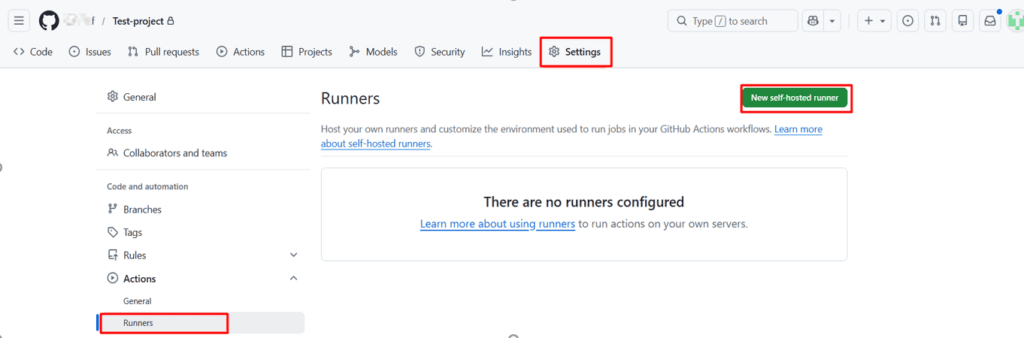
Step 1: Log in to the GitHub Repository
- Go to your repository.
- Click Settings
- Click Actions → Runners
- Click New self-hosted runner
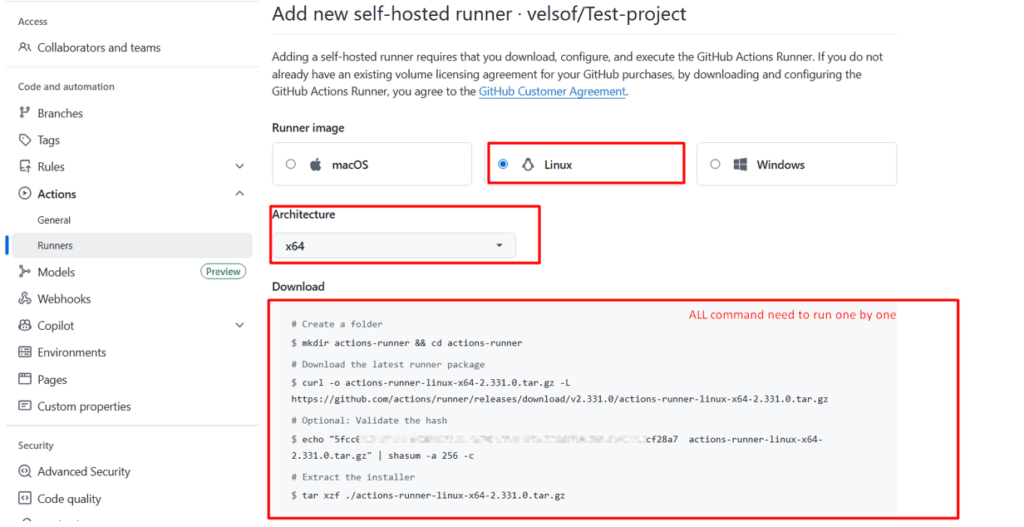
- Select Linux (x64)
Step 2: Create Runner Directory on Server
mkdir actions-runner && cd actions-runner
Step 3: Download Runner Package
GitHub will provide a command similar to:
curl -o actions-runner-linux-x64-2.xx.x.tar.gz -L https://github.com/actions/runner/releases/download/v2.xx.x/actions-r
Extract the file:
tar xzf ./actions-runner-linux-x64-2.xx.x.tar.gz
Step 4: Configure the Runner
GitHub will provide a configuration command like:
./config.sh --url https://github.com/your-org/your-repo --token YOUR_TOKEN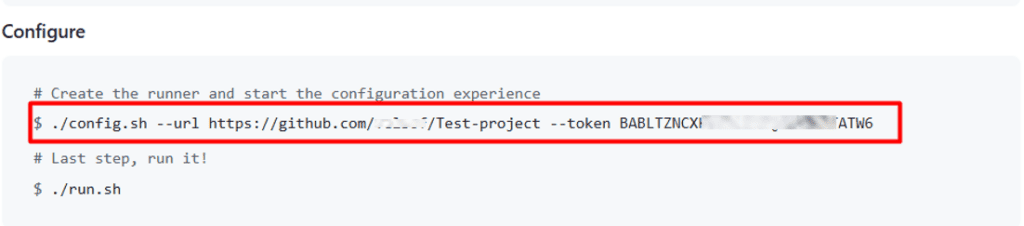
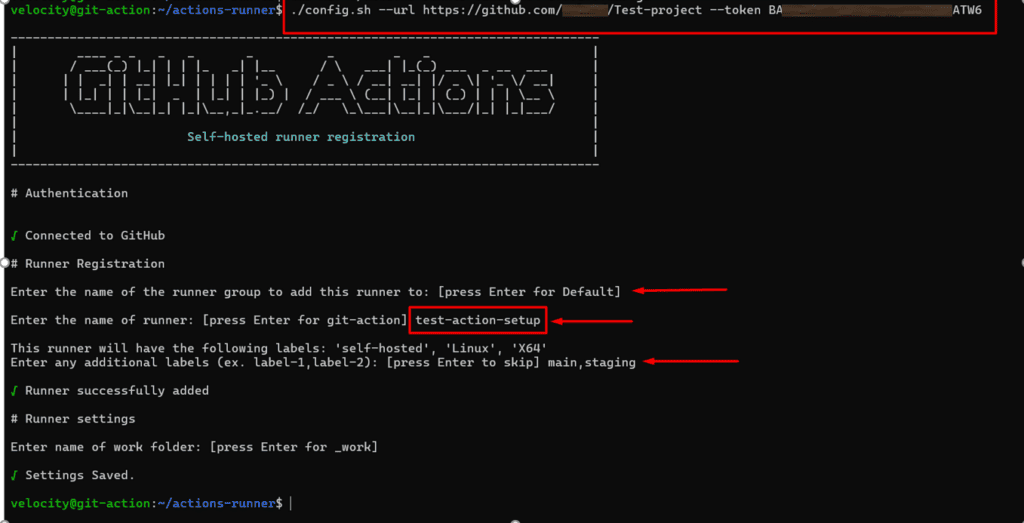
Follow the prompts:
- Enter runner name
- Enter labels (optional)
- Accept the default work folder
Step 5: Install Runner as a Service (Recommended for Deployment)
sudo ./svc.sh install
sudo ./svc.sh start
Check service status:
sudo ./svc.sh status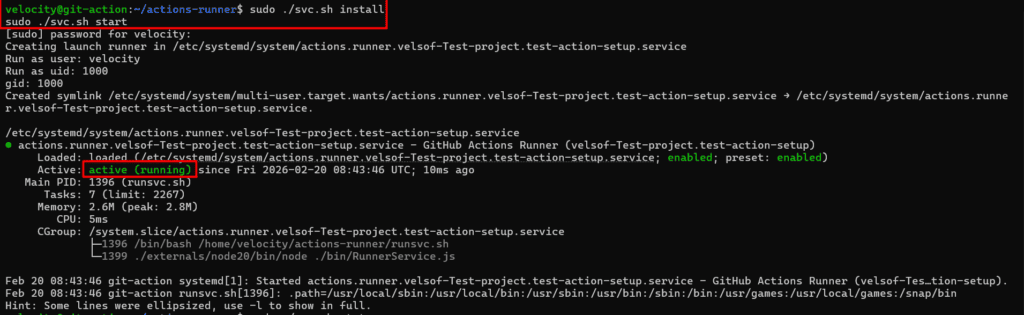
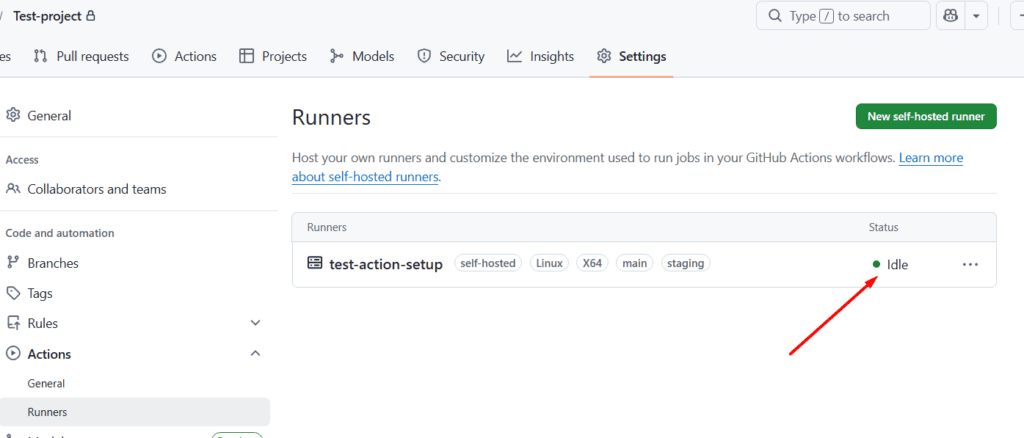
Verifying Runner is Working
Go to:
Repository → Settings → Actions → Runners
You should see:
Runner status: Online/Idle🟢
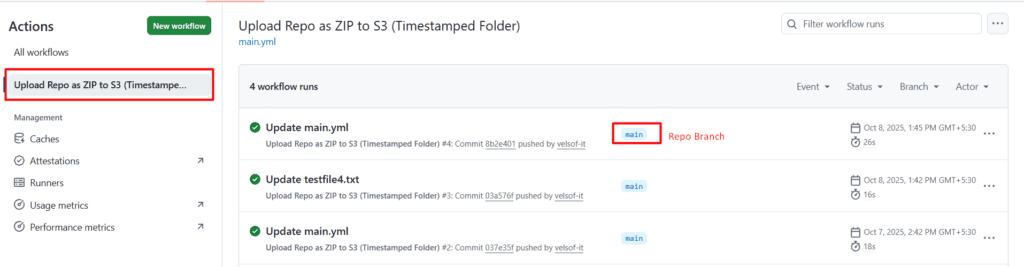
Create Deployment Workflow
Create file:
.github/workflows/deploy.ymlExample deployment workflow:
name: Deploy Application

on:
  push:
    branches:
      - main

jobs:
  deploy:
    runs-on: self-hosted

    steps:
      - name: Checkout Code
        uses: actions/checkout@v4

      - name: Pull Latest Code
        run: |
          cd /var/www/html/your-project
          git pull origin main

      - name: Restart Service
        run: |
          sudo systemctl restart your-service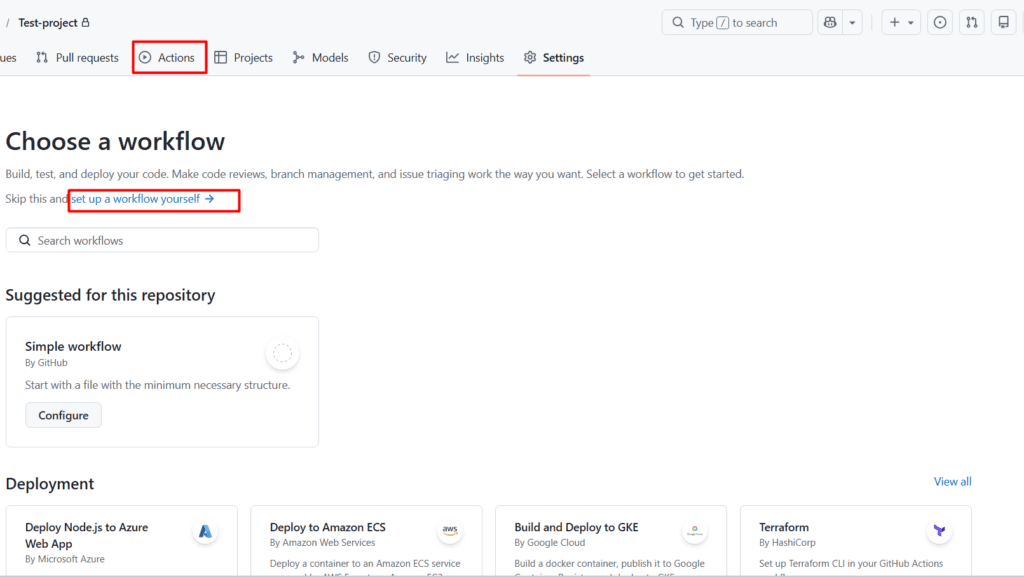
Common Deployment Use Cases
- Django app deployment
- Node.js deployment
- React frontend build & deploy
- Docker container deployment
- Auto-restart Gunicorn service
- CI/CD for internal projects
Security Best Practices
- Use repository secrets for passwords
- Avoid hardcoding tokens
- Use limited sudo permissions
- Restrict server SSH access
- Rotate runner tokens regularly
Troubleshooting
Runner Not Showing Online
Restart service:
sudo ./svc.sh restartPermission Denied Error
Ensure correct ownership:
sudo chown -R $USER:$USER actions-runnerService Not Starting
Check logs:
journalctl -u actions.runner.*Uninstall GitHub Actions Runner
Stop service:
sudo ./svc.sh stop
sudo ./svc.sh uninstall
Remove configuration:
./config.sh removeOverall Summary
GitHub provides powerful automation through GitHub Actions, enabling seamless CI/CD pipelines. By setting up a Self-Hosted GitHub Actions Runner, organizations gain full control over deployment infrastructure, enhance security, and improve deployment speed within internal environments.
This guide covered:
- Runner installation on Linux
- Configuration and service setup
- Deployment workflow creation
- Security best practices
- Troubleshooting steps
After completing this setup, your server is fully integrated with GitHub CI/CD and ready for automated deployments.