The Ultimate Guide to WooCommerce Customization
Download MarkDown
Introduction
WooCommerce is one of the most popular eCommerce platforms in the world, known for its flexibility and powerful customization capabilities. Whether you’re launching a new online store or improving an existing one, WooCommerce customization allows you to create a tailored shopping experience that aligns perfectly with your brand and business goals.
In this ultimate guide, we’ll explore how you can customize your WooCommerce store – from theme selection and product page design to advanced development and performance optimization.
1. Choosing the Right Theme
Your theme forms the foundation of your online store’s design and user experience.
1.1 Importance of a Responsive and User-Friendly Theme
Selecting a responsive and user-friendly theme ensures your store looks great on all devices, including smartphones and tablets. A responsive design:
- Improves mobile shopping experience
- Boosts SEO rankings
- Reduces bounce rates
- Enhances overall usability
Always choose a WooCommerce-compatible theme optimized for performance and conversion.
1.2 Customizing the Theme’s Appearance
WooCommerce allows you to personalize your theme to reflect your brand identity.
You can customize:
- Colors and typography
- Header and footer layouts
- Homepage sections
- Buttons and call-to-action elements
Using the WordPress Customizer, you can make visual changes without touching code.
2. Customizing Product Pages
Product pages directly influence purchase decisions. Optimizing them is essential for a seamless shopping experience.
2.1 Product Descriptions and High-Quality Product Images
Compelling product descriptions and high-quality product images increase trust and conversions.
Best practices include:
- Writing benefit-driven descriptions
- Adding detailed specifications
- Including zoom-enabled product images
- Using consistent image dimensions
Clear visuals and persuasive content enhance the overall user experience.
2.2 Product Variations and Attributes
If your store offers products in multiple sizes, colors, or styles, WooCommerce allows you to configure product variations and attributes.
Customization options include:
- Dropdown selectors for variations
- Swatches for colors
- Conditional pricing
- Stock visibility per variation
This makes it easier for customers to select the right product options.
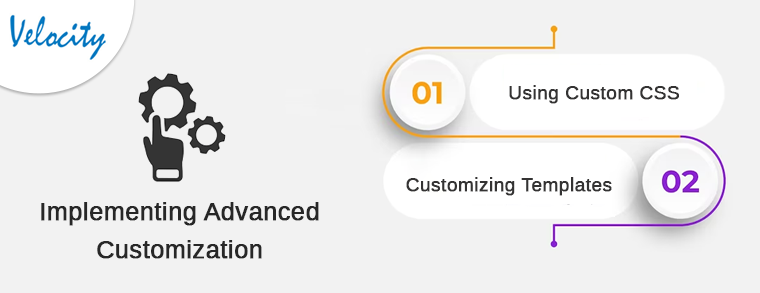
3. Implementing Advanced Customization
For businesses requiring deeper customization, WooCommerce provides advanced development capabilities.
3.1 Using Custom CSS
WooCommerce allows you to add custom CSS to fine-tune your store’s appearance.
Custom CSS helps you:
- Modify layout spacing
- Adjust typography
- Customize buttons
- Override default styling
This enables design flexibility beyond standard theme settings.
3.2 Customizing WooCommerce Templates
WooCommerce uses template files for pages such as:
- Cart
- Checkout
- My Account
- Shop page
By customizing these templates, developers can:
- Redesign checkout flow
- Improve conversion rates
- Add custom fields
- Enhance branding consistency
Template customization is ideal for creating a fully unique store experience.
4. Extending Functionality with Plugins
WooCommerce’s strength lies in its vast ecosystem of plugins and extensions.
4.1 Exploring WooCommerce Extensions
There are thousands of plugins available for:
- Payment gateways
- Shipping management
- Marketing automation
- Subscription services
- Inventory control
Choose plugins carefully to avoid performance issues and ensure compatibility.
4.2 Custom Plugin Development
If existing plugins don’t meet your requirements, consider custom plugin development.
Custom plugins allow you to:
- Build unique business logic
- Integrate third-party APIs
- Automate workflows
- Add advanced features tailored to your store
Professional WooCommerce developers can create scalable solutions aligned with your business goals.
5. Optimizing for Performance and Speed
A fast-loading website is essential for delivering a seamless shopping experience.
5.1 Caching and Optimization
To optimize performance:
- Implement caching solutions
- Compress and optimize images
- Minify CSS and JavaScript files
- Enable lazy loading
- Use a CDN
These improvements reduce load times and increase conversions.
5.2 Hosting Considerations
Your hosting environment plays a major role in store performance.
Choose hosting that offers:
- WooCommerce optimization
- High uptime guarantee
- Scalable resources
- Secure SSL configuration
- Regular backups
A reliable hosting provider ensures smooth store operations even during high traffic.
Conclusion
WooCommerce customization empowers businesses to build highly personalized and scalable online stores. From selecting a user-friendly theme and customizing product pages to implementing advanced development techniques and performance optimization, the possibilities are extensive.
With the right strategy, you can create a store that delivers a seamless shopping experience while aligning perfectly with your brand.
If you need assistance with WooCommerce customization or custom plugin development, feel free to contact us at:
Our WooCommerce experts are ready to help you build a powerful and conversion-driven online store.