--- title: "GitHub CLI User Manual – Installation & Usage on Ubuntu" url: https://www.velsof.com/devops/github-cli-user-manual-installation-usage-on-ubuntu/ date: 2026-06-14 type: blog_post author: Sarvendra Singh categories: DevOps, User Manuals --- ## What is GitHub CLI? GitHub CLI (gh) is the official command-line tool developed by GitHub that allows developers to manage repositories, pull requests, issues, workflows, and releases directly from the terminal. It simplifies GitHub operations without needing to switch between browser and terminal. ## Why Use GitHub CLI? - Manage repositories from the terminal - Create and review pull requests - Manage issues easily - Run and monitor GitHub Actions workflows - Automate DevOps tasks - Faster development workflow ## System Requirements Before installing GitHub CLI on Ubuntu, ensure: - Ubuntu 20.04 / 22.04 / 24.04 - sudo access - Internet connection - Git installed (`git --version`) If Git is not installed: ``` sudo apt update sudo apt install git -y ``` 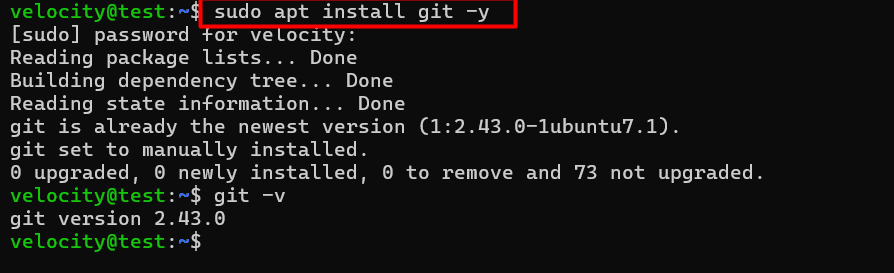 ## Install via Official Repository (Recommended) #### Step 1: Update system packages ``` sudo apt update ``` Add GitHub CLI GPG key: ``` curl -fsSL https://cli.github.com/packages/githubcli-archive-keyring.gpg | \ sudo dd of=/usr/share/keyrings/githubcli-archive-keyring.gpg ```  Add official repository: ``` echo "deb [arch=$(dpkg --print-architecture) signed-by=/usr/share/keyrings/githubcli-archive-keyring.gpg] https://cli.github.com/packages stable main" | \ sudo tee /etc/apt/sources.list.d/github-cli.list > /dev/null ```  Install GitHub CLI 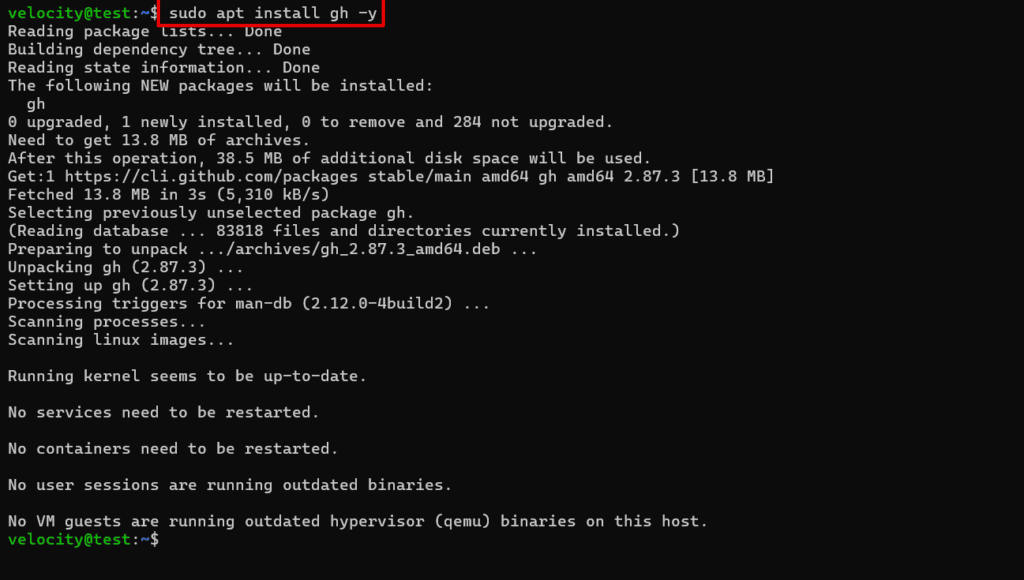 ##### Verify Installation Check installed version: ``` gh --version ```  ### Authenticate GitHub CLI After installation, authenticate your GitHub account. ``` gh auth login ``` You will be prompted to: - Choose GitHub.com - Select HTTPS - Authenticate via browser Browser Authentication: **URL**: https://github.com/login/device 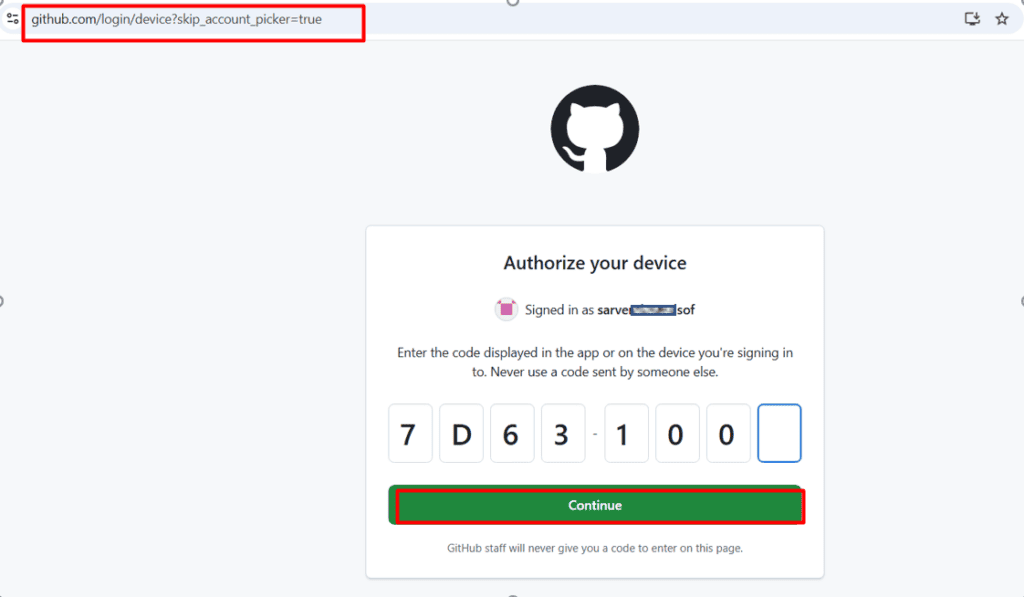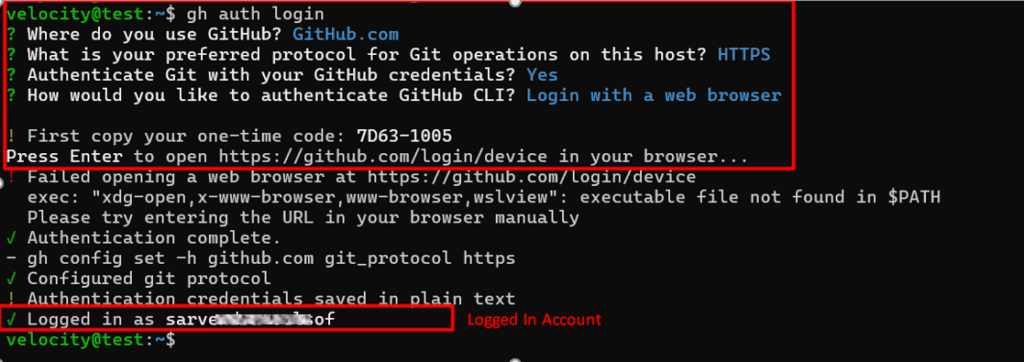 Once completed, **Verify authentication:** ``` gh auth status ```  ### 📘 GitHub CLI Command List (With Purpose & Example) | # | Command | Purpose | Example | | --- | --- | --- | --- | | 1 | `gh auth login` | Authenticate GitHub account | `gh auth login` | | 2 | `gh auth status` | Check login status | `gh auth status` | | 3 | `gh auth logout` | Logout from GitHub | `gh auth logout` | | 4 | `gh repo create` | Create new repository | `gh repo create my-project --public` | | 5 | `gh repo clone` | Clone repository | `gh repo clone username/repo-name` | | 6 | `gh repo view` | View repository details | `gh repo view username/repo-name` | | 7 | `gh repo delete` | Delete repository | `gh repo delete username/repo-name` | | 8 | `gh repo fork` | Fork repository | `gh repo fork username/repo-name` | | 9 | `gh pr create` | Create pull request | `gh pr create --title "Feature" --body "Added feature"` | | 10 | `gh pr list` | List pull requests | `gh pr list` | | 11 | `gh pr view` | View pull request | `gh pr view 1` | | 12 | `gh pr checkout` | Checkout PR locally | `gh pr checkout 1` | | 13 | `gh pr merge` | Merge pull request | `gh pr merge 1` | | 14 | `gh issue create` | Create issue | `gh issue create --title "Bug" --body "Fix needed"` | | 15 | `gh issue list` | List issues | `gh issue list` | | 16 | `gh issue view` | View issue | `gh issue view 5` | | 17 | `gh issue close` | Close issue | `gh issue close 5` | | 18 | `gh workflow list` | List workflows | `gh workflow list` | | 19 | `gh run list` | List workflow runs | `gh run list` | | 20 | `gh run view` | View workflow run | `gh run view 123456` | | 21 | `gh run watch` | Watch workflow run live | `gh run watch` | | 22 | `gh release create` | Create release | `gh release create v1.0.0 --title "Version 1.0"` | | 23 | `gh release list` | List releases | `gh release list` | | 24 | `gh config list` | View CLI configuration | `gh config list` | | 25 | `gh alias set` | Create command shortcut | `gh alias set prl "pr list"` | | 26 | `gh search repos` | Search repositories | `gh search repos devops scripts` | | 27 | `gh search issues` | Search issues | `gh search issues "login bug"` | ## Common Errors & Troubleshooting ### Error: gh command not found Solution: - Ensure installation is completed successfully - Restart terminal - Check the PATH variable ### Authentication Failed Solution: ``` gh auth logout gh auth login ``` ## Advantages of Using GitHub CLI in DevOps - Ideal for CI/CD pipelines - Useful for automation scripts - Integrates with GitHub Actions - Faster repository management - Works well on Ubuntu servers ## Conclusion GitHub CLI is a powerful tool for developers and DevOps engineers working on Ubuntu systems. It simplifies repository management, pull requests, and issue tracking directly from the terminal. Installing GitHub CLI on Ubuntu is quick and secure using the official repository method. After authentication, you can manage almost all GitHub features without using a web browser.